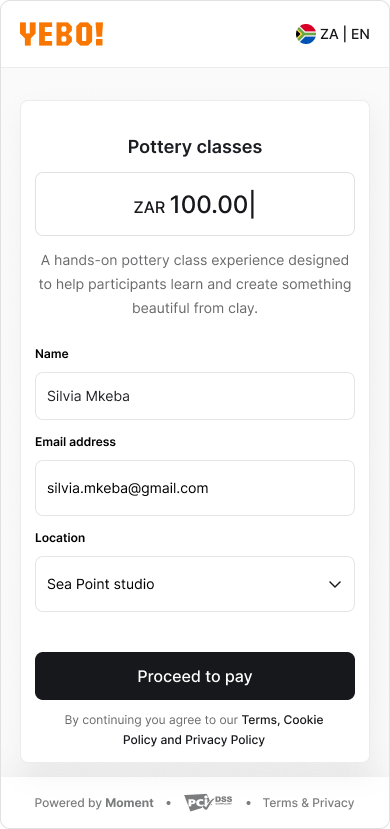
This may include:
- A payment amount (fixed or editable)
- Standard required fields such as Name, Email, or Phone number
- Additional required or optional fields configured by the merchant
- Custom input types such as:
- Checkbox selections
- Dropdown menus
- Radio button selections
- Free-form text fields
- A Proceed to pay button