

EBP
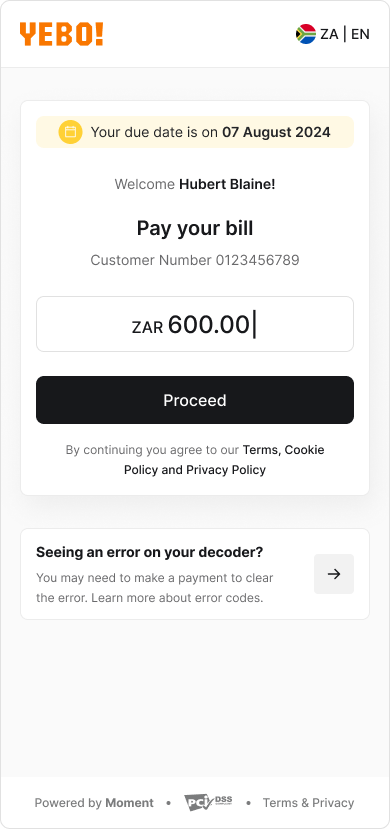
Based on the billing data provided by the merchant, when a customer opens the EBP page, they see:- Due date
- Customer name and reference/customer number
- Amount due (pre-filled)
- Proceed button (disabled until a valid amount is entered. If no amount is pre-filled, the customer must enter an amount before proceeding)
- Custom message with redirect link
Amount Editing Rules
Whether the amount is editable depends on merchant configuration.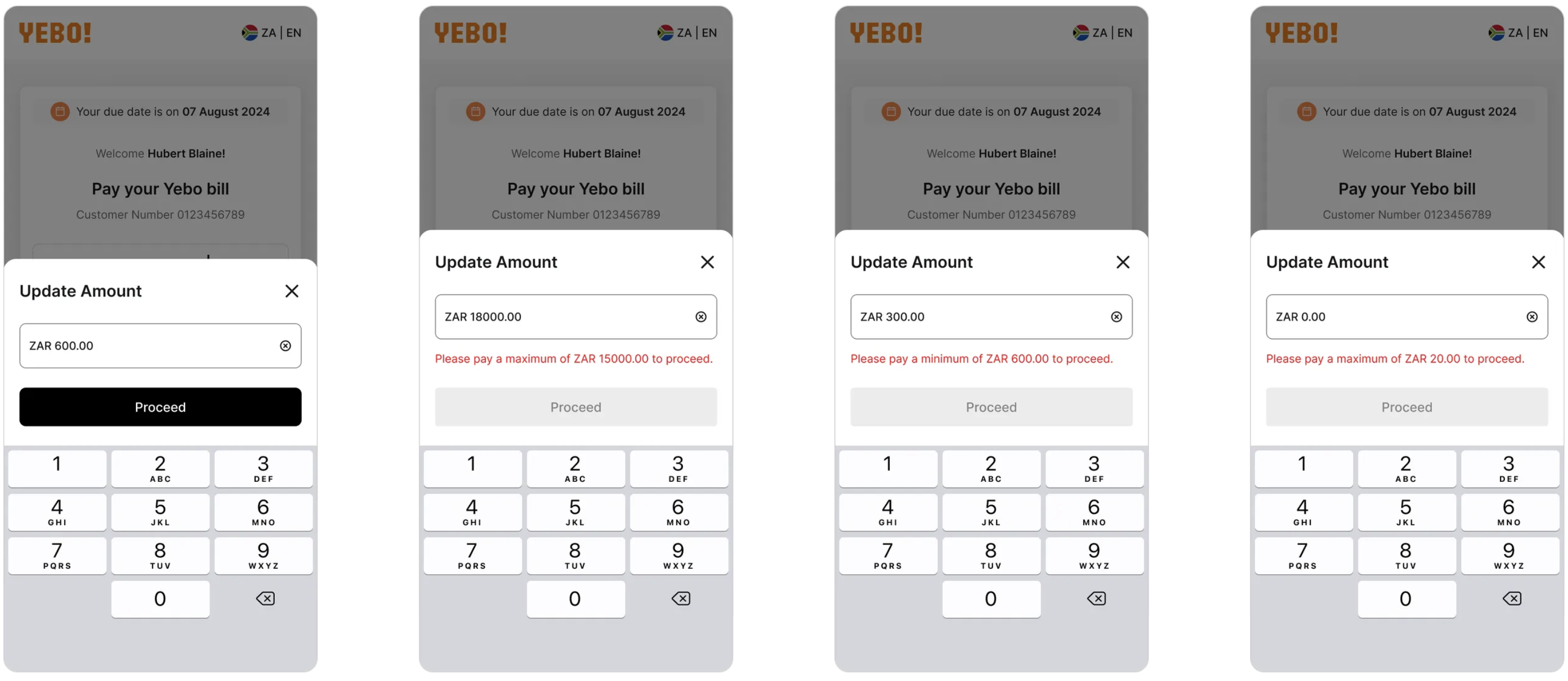
Paying Less Than Amount Due
If the customer enters an amount below the amount due:- The Proceed button remains disabled.
- The customer must enter an amount that matches or exceeds the amount due.
Paying Above Maximum Allowed
If the merchant has defined a maximum allowed payment amount, and the customer enters a higher value:- The Proceed button remains disabled.
- The customer must reduce the amount to within the allowed limit.
When Amount Due Is 0.00
If the amount due is 0.00:- The customer can still make a payment.
- The Proceed button remains disabled until the entered amount meets the minimum payment amount.