

Overview
The Moment Flutter SDK enables seamless payment integration into any Flutter application. The SDK provides a simple, unified API to handle the entire payment flow through a native bottom sheet experience. Built with pure Dart (minimal dependencies), the SDK works across both iOS and Android platforms.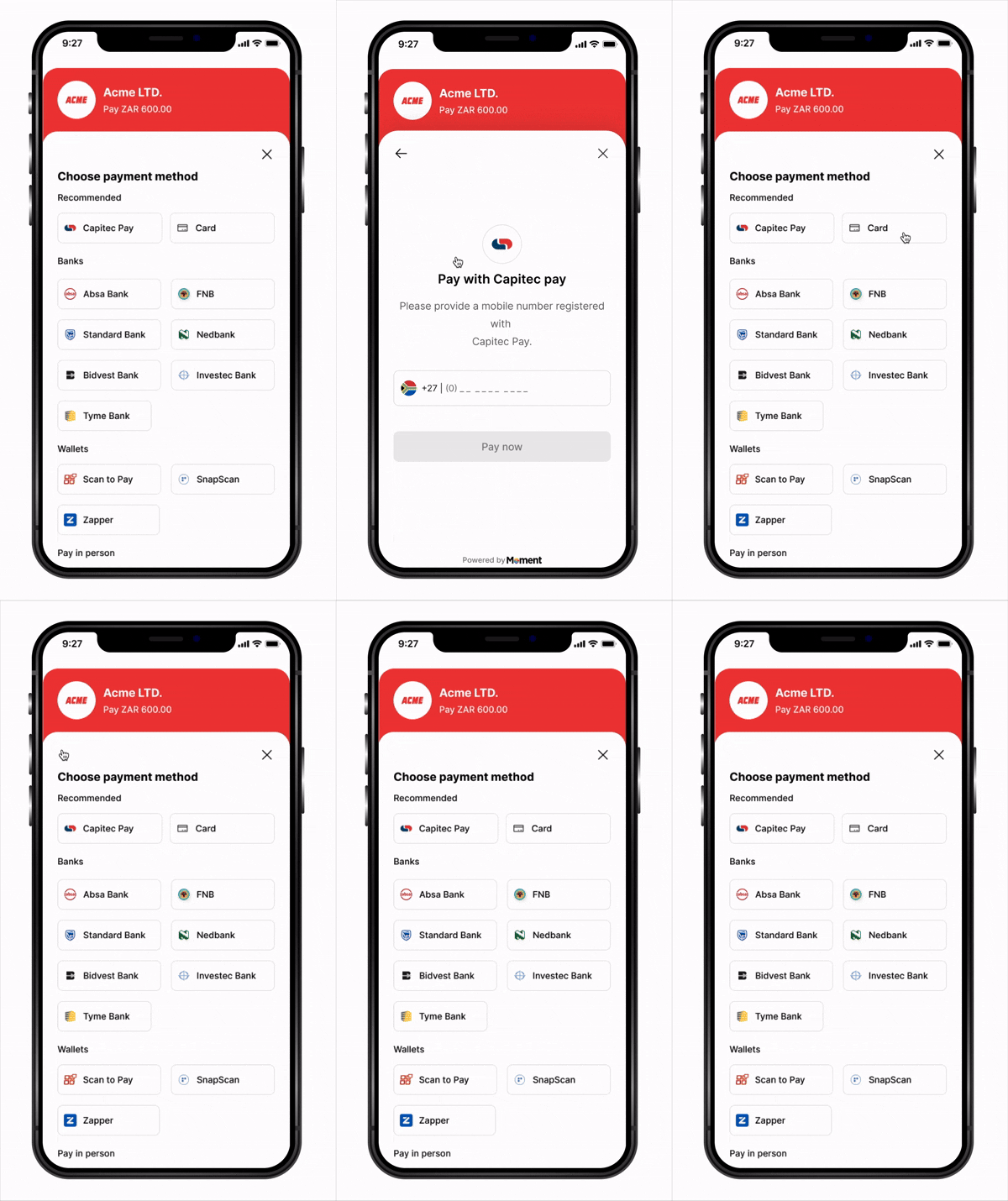
Key Features
- Native Experience – Bottom sheet presentation feels native on both platforms
- Flexible Callbacks – Handle success, failure, cancellation, retry, and expiry events
- Secure – Sensitive payment data handled entirely in Moment’s secure WebView
- Minimal Dependencies – Single package, easy to integrate
- PCI Compliant – No card data ever touches your application
How It Works
- App starts —
Moment(clientKey: ...)creates an SDK instance;moment.checkout()is called to create a checkout instance with yourfetchClientToken,fetchSessionStatus, and event callbacks (onSuccess,onFailure, etc.) - Customer taps Pay —
checkout.launch()is called - SDK calls
fetchClientToken— your callback creates a session on your backend (with asuccess_url) and returns theclient_token - Checkout opens in a native bottom sheet
- Customer submits payment — Moment takes over and redirects to the authentication page
- Customer completes authentication on the external page
- Customer is redirected back to your app via link with
?session_id=abc123 - SDK detects the link and calls your
fetchSessionStatus('abc123')callback automatically - Your callback fetches the status from your backend, which queries Moment API
- SDK routes to the right handler —
onSuccess,onFailure,onExpired, oronCancel - Webhooks are delivered to your backend regardless of outcome
Installation
1. Add Dependencies
Add the following to yourpubspec.yaml:
2. Import the SDK
Platform Configuration
iOS
Add toios/Runner/Info.plist:
Android
Add toandroid/app/src/main/AndroidManifest.xml:
android/app/build.gradle:
Quick Start
1. Initialize the SDK
CallMoment(clientKey: ...) once when your app starts to create an SDK instance. Then call moment.checkout() with your fetch callbacks and event handlers — it returns a checkout instance, and the SDK calls your callbacks automatically at the right moments, so you never manage tokens or session IDs manually.
Backend endpoints:
- Node.js
- Python
- Go
- Firebase
- Supabase
- Lambda
server.js
- http (Dart)
- Dio
- Firebase
- Supabase
- Amplify (Lambda)
main.dart
2. Open Checkout
checkout.dart
API Reference
Moment(clientKey)
Factory constructor — creates an isolated SDK instance scoped to your publishable key. Returns an object with product namespaces (checkout, and more in the future).
Throws immediately if
clientKey is invalid.
moment.checkout(config)
Creates and returns a checkout instance for this SDK. Typically called inmain() or your root widget’s initState(). Returns a checkout object with launch and close methods.
checkout.launch()
Opens the payment checkout in a native bottom sheet. Internally calls yourfetchClientToken to retrieve a fresh token.
checkout.close()
Manually closes the bottom sheet checkout.Complete Example
Security Best Practices
- Never expose your secret key (
sk_...) in your Flutter app - Always create sessions server-side via your backend
- Validate webhooks to confirm payment state before fulfilling orders
- Use HTTPS for all backend communication
- Handle token expiry — the SDK calls
fetchClientTokenon everylaunch(), so tokens are always fresh - Check
mountedbefore updating widget state after async operations
Next Steps
- View Sample Applications for end-to-end examples
- Create your first Payment Session
- Configure Webhooks
- Test your integration in Sandbox mode