

Overview
The Moment Flutter SDK enables seamless payment integration into any Flutter application. The SDK provides a simple, unified API to handle the entire payment flow through a native bottom sheet experience. Built with pure Dart (minimal dependencies), the SDK works across both iOS and Android platforms.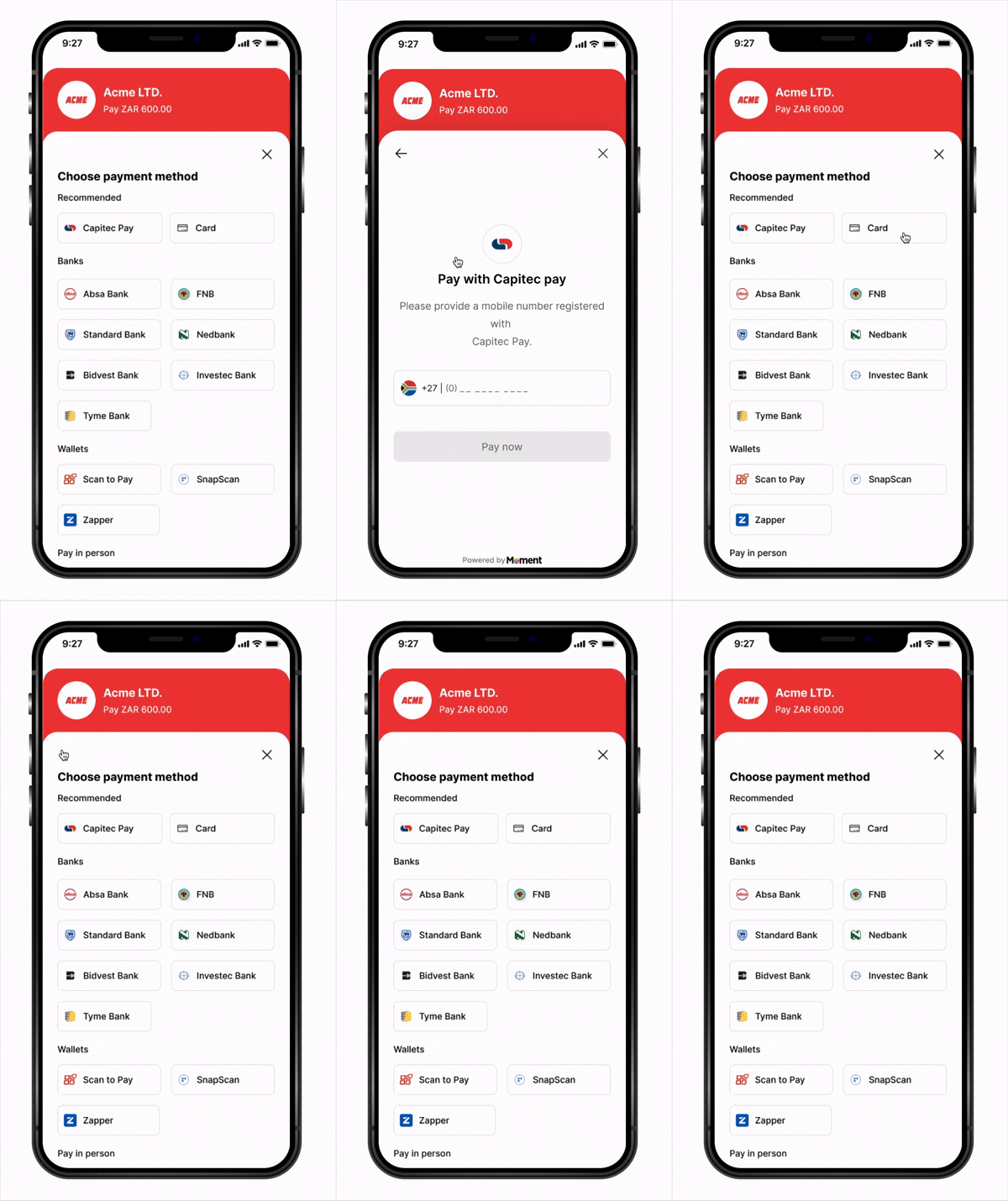
Key Features
- Native Experience – Bottom sheet presentation feels native on both platforms
- Flexible Callbacks – Handle success, failure, cancellation, retry, and expiry events
- Secure – Sensitive payment data handled entirely in Moment’s secure WebView
- Minimal Dependencies – Single package, easy to integrate
- PCI Compliant – No card data ever touches your application
How It Works
- App starts —
Moment(clientKey: ...)creates an SDK instance;moment.checkout()is called to create a checkout instance with yourfetchClientToken,fetchSessionStatus, and event callbacks (onSuccess,onFailure, etc.) - Customer taps Pay —
checkout.launch()is called - SDK calls
fetchClientToken— your callback creates a session on your backend (with asuccess_url) and returns theclient_token - Checkout opens in a native bottom sheet
- Customer submits payment — Moment takes over and redirects to the authentication page
- Customer completes authentication on the external page
- Customer is redirected back to your app via link with
?session_id=abc123 - SDK detects the link and calls your
fetchSessionStatus('abc123')callback automatically - Your callback fetches the status from your backend, which queries Moment API
- SDK routes to the right handler —
onSuccess,onFailure,onExpired, oronCancel - Webhooks are delivered to your backend regardless of outcome
Installation
1. Add Dependencies
Add the following to yourpubspec.yaml:
2. Import the SDK
Platform Configuration
iOS
Add toios/Runner/Info.plist:
Android
Add toandroid/app/src/main/AndroidManifest.xml:
android/app/build.gradle:
Quick Start
1. Initialize the SDK
CallMoment(clientKey: ...) once when your app starts to create an SDK instance. Then call moment.checkout() with your fetch callbacks and event handlers — it returns a checkout instance, and the SDK calls your callbacks automatically at the right moments, so you never manage tokens or session IDs manually.
Backend endpoints:
- Node.js
- Python
- Go
- Firebase
- Supabase
- Lambda
server.js
- http (Dart)
- Dio
- Firebase
- Supabase
- Amplify (Lambda)
main.dart
2. Open Checkout
checkout.dart
API Reference
Moment(clientKey)
Factory constructor — creates an isolated SDK instance scoped to your publishable key. Returns an object with product namespaces (checkout, and more in the future).
| Parameter | Type | Required | Description |
|---|---|---|---|
clientKey | String | Yes | Your publishable key (pk_test_... or pk_live_...). Determines sandbox vs. production environment. |
clientKey is invalid.
moment.checkout(config)
Creates and returns a checkout instance for this SDK. Typically called inmain() or your root widget’s initState(). Returns a checkout object with launch and close methods.
| Parameter | Type | Required | Description |
|---|---|---|---|
fetchClientToken | Future<String> Function() | Yes | Async function returning a fresh client token. Called by the SDK when checkout.launch() is invoked. |
fetchSessionStatus | Future<Map> Function(String) | No | Async function receiving a sessionId, returning session status. Called when a deep link with session_id is detected after a redirect-based payment. |
onSuccess | Function(dynamic) | No | Callback fired when payment succeeds (both embedded and redirect flows) |
onFailure | Function(dynamic) | No | Callback fired when payment fails |
onCancel | Function(dynamic) | No | Callback fired when user cancels |
onAttemptFailed | Function(dynamic) | No | Callback fired when a payment attempt fails (user can retry) |
onExpired | Function(dynamic) | No | Callback fired when the payment session expires |
checkout.launch()
Opens the payment checkout in a native bottom sheet. Internally calls yourfetchClientToken to retrieve a fresh token.
| Parameter | Type | Required | Description |
|---|---|---|---|
context | BuildContext | Yes | Flutter build context |
checkout.close()
Manually closes the bottom sheet checkout.Complete Example
Security Best Practices
- Never expose your secret key (
sk_...) in your Flutter app - Always create sessions server-side via your backend
- Validate webhooks to confirm payment state before fulfilling orders
- Use HTTPS for all backend communication
- Handle token expiry — the SDK calls
fetchClientTokenon everylaunch(), so tokens are always fresh - Check
mountedbefore updating widget state after async operations
Next Steps
- View Sample Applications for end-to-end examples
- Create your first Payment Session
- Configure Webhooks
- Test your integration in Sandbox mode