> ## Documentation Index
> Fetch the complete documentation index at: https://docs.momentco.io/llms.txt
> Use this file to discover all available pages before exploring further.

# Signup

<Columns cols={2}>
  <div style={{ paddingTop: "4.5rem" }}>
    **Step 1:** Enter your email address to get started.
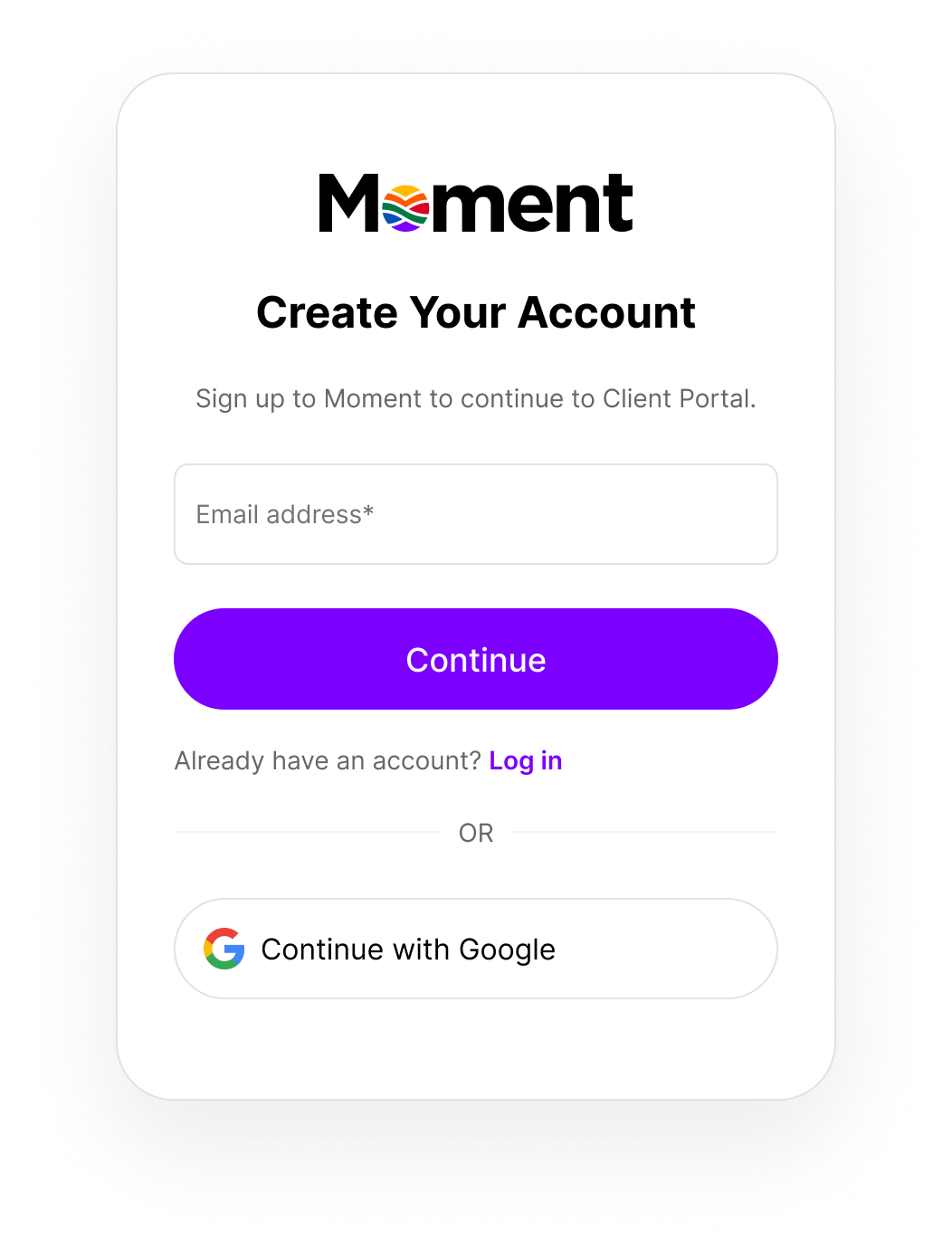
  </div>

  <div>
    <img src="https://mintcdn.com/momentholdingslimited/ltrCqk19he2WwTGA/guides/resources/step1.png?fit=max&auto=format&n=ltrCqk19he2WwTGA&q=85&s=981f1fbed410ef618d14018230a5a98e" alt="Step1" title="Step1" style={{ width:"100%" }} className="ml-auto" width="1052" height="1392" data-path="guides/resources/step1.png" />
  </div>
</Columns>

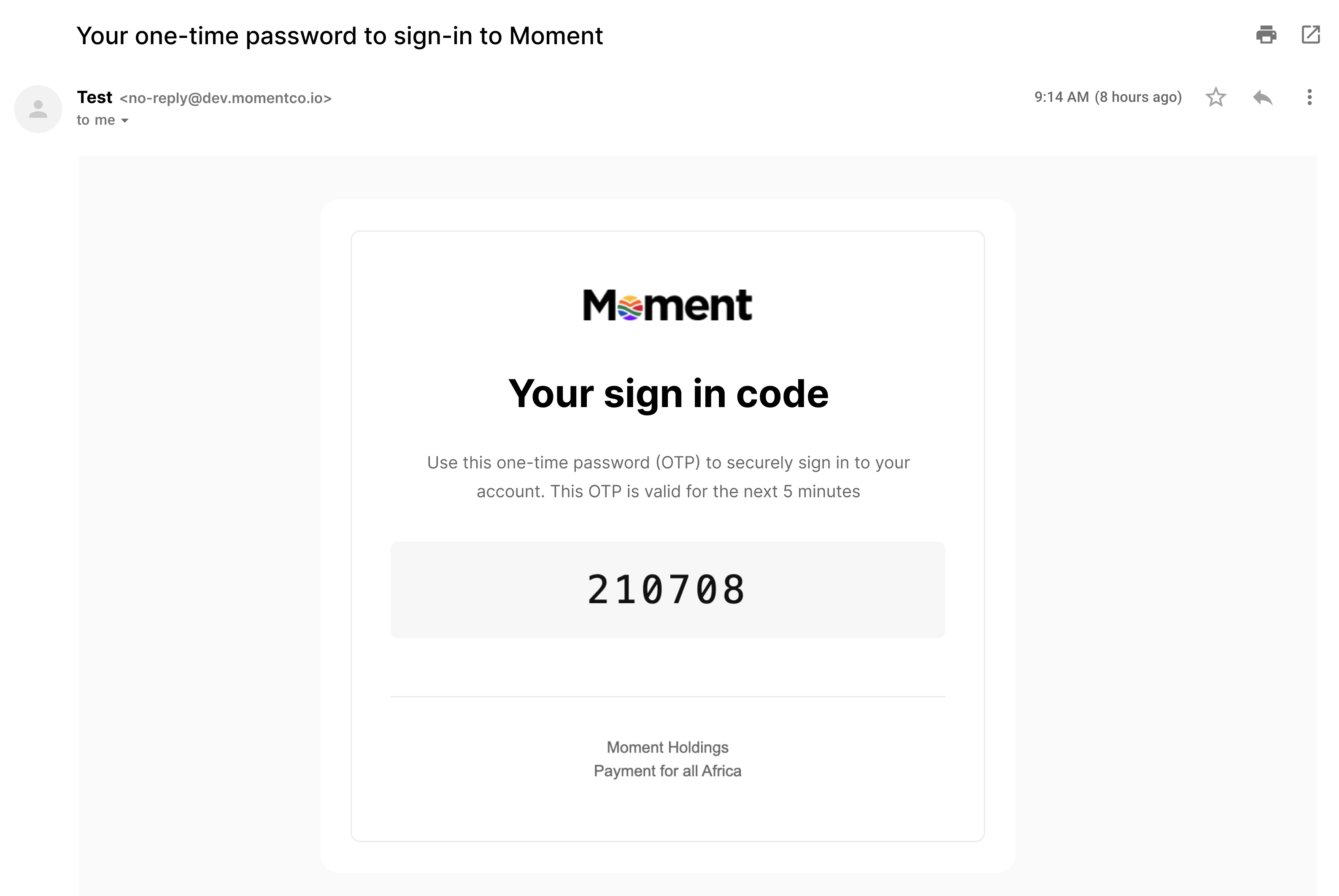
**Step 2:** Check your inbox. You’ll receive an email from Moment with a one-time verification code.

<img src="https://mintcdn.com/momentholdingslimited/ltrCqk19he2WwTGA/guides/resources/step2.png?fit=max&auto=format&n=ltrCqk19he2WwTGA&q=85&s=aa72a556bdebb7988c4e7eada3f92b2d" alt="Step1" title="Step1" width="3174" height="2124" data-path="guides/resources/step2.png" />

<Columns cols={2}>
  <div style={{ paddingTop: "10.5rem" }}>
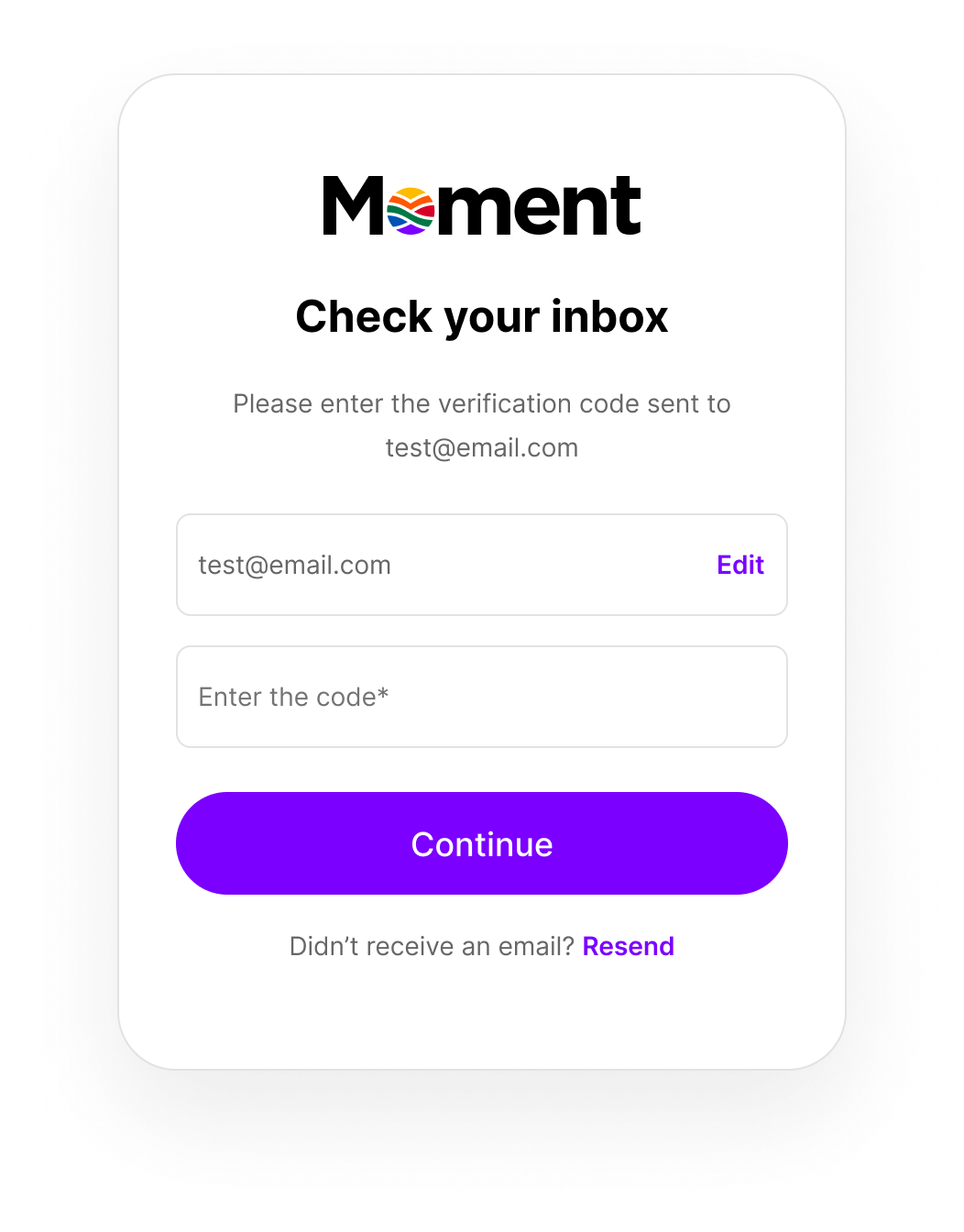
    **Step 3:** Enter the code from the email to verify your address.
  </div>

  <div style={{ paddingTop: "4.5rem" }}>
    <img src="https://mintcdn.com/momentholdingslimited/ltrCqk19he2WwTGA/guides/resources/step3.png?fit=max&auto=format&n=ltrCqk19he2WwTGA&q=85&s=3c031caf96c222e7214a8f7ddf5d8a9d" alt="Step3" title="Step3" style={{ width:"100%" }} className="ml-auto" width="1052" height="1344" data-path="guides/resources/step3.png" />
  </div>
</Columns>

<Columns cols={2}>
  <div style={{ paddingTop: "4.5rem" }}>
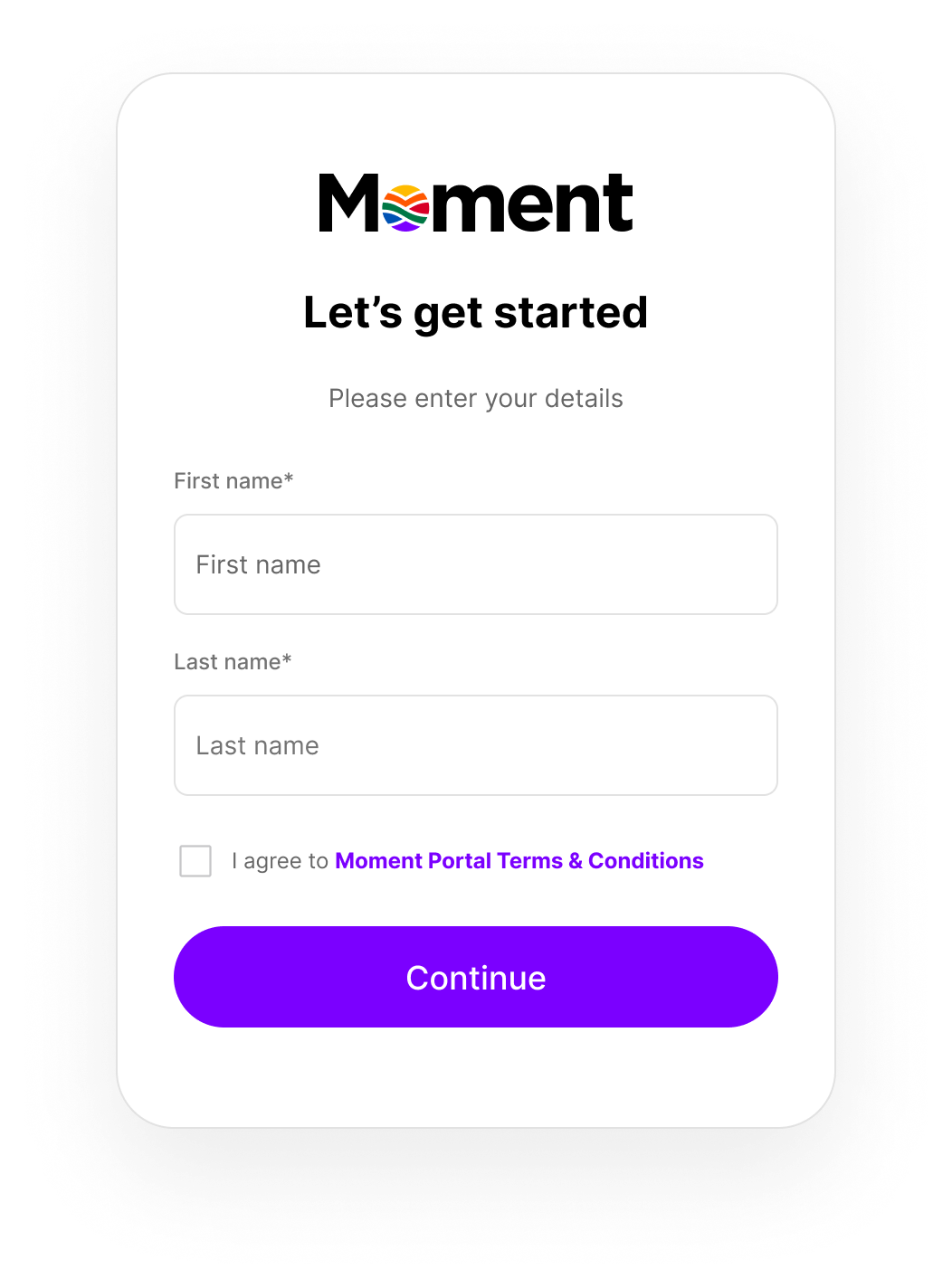
    **Step 4:** Add your first and last name.
  </div>

  <div>
    <img src="https://mintcdn.com/momentholdingslimited/ltrCqk19he2WwTGA/guides/resources/step4.png?fit=max&auto=format&n=ltrCqk19he2WwTGA&q=85&s=7803d56d0480ecee958cf1ee4c8e7d67" alt="Step4" title="Step4" style={{ width:"100%" }} className="ml-auto" width="1052" height="1424" data-path="guides/resources/step4.png" />
  </div>
</Columns>

<Columns cols={2}>
  <div style={{ paddingTop: "4.5rem" }}>
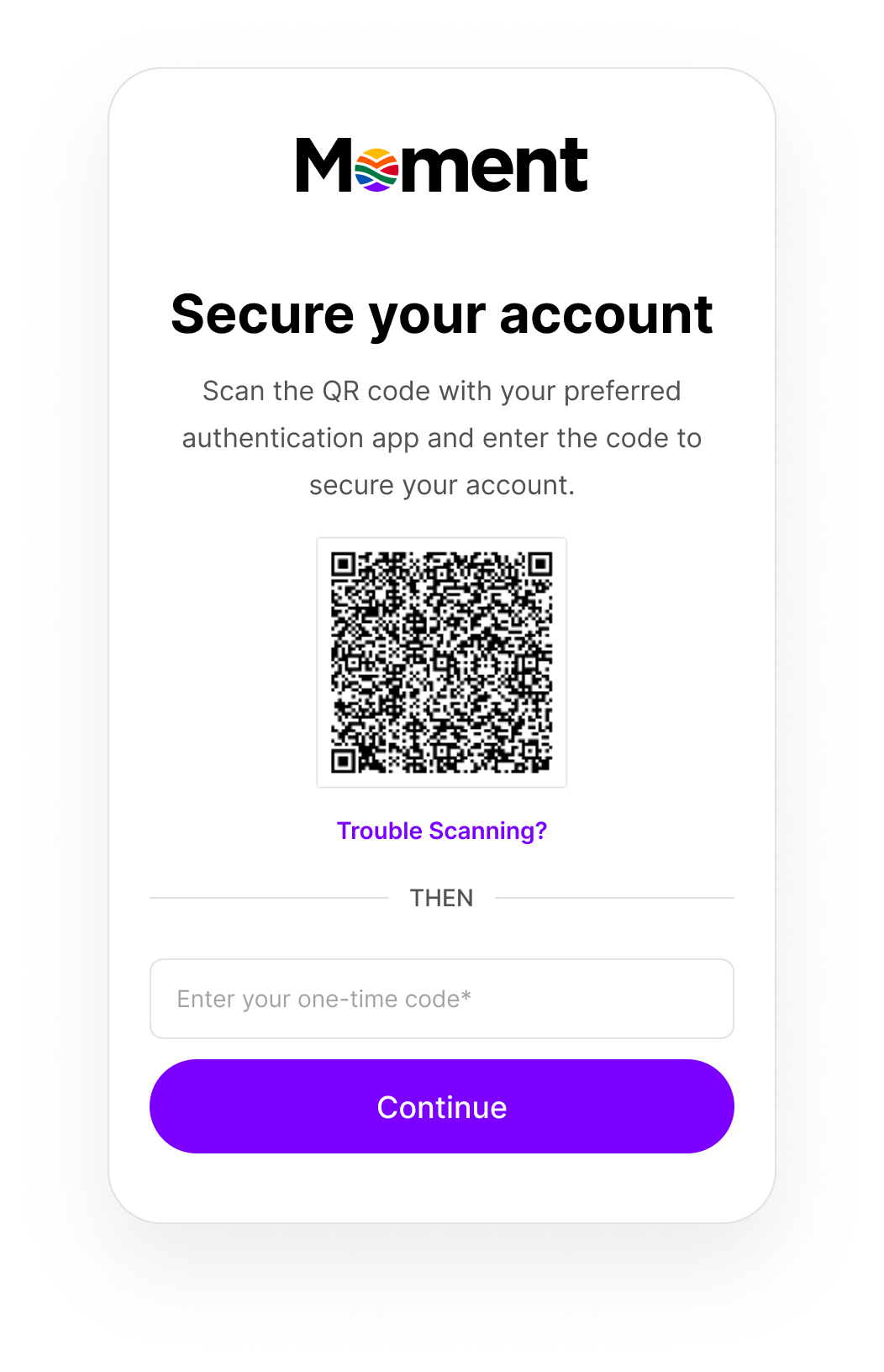
    **Step 5:** Set up two-factor authentication (2FA).

    <p> Open your preferred authenticator app, scan the QR code, then enter the code generated by the app. </p>

    <br />

    **Step 6:** Click **Continue**.

    <p> Your account is now created and you’ll be logged into your merchant account for the first time.</p>
  </div>

  <div>
    <img src="https://mintcdn.com/momentholdingslimited/ltrCqk19he2WwTGA/guides/resources/step5.png?fit=max&auto=format&n=ltrCqk19he2WwTGA&q=85&s=1df3f7a603dab6acd507bb8c809e66ca" alt="Step5" title="Step5" style={{ width:"100%" }} className="ml-auto" width="1052" height="1632" data-path="guides/resources/step5.png" />
  </div>
</Columns>