> ## Documentation Index
> Fetch the complete documentation index at: https://docs.momentco.io/llms.txt
> Use this file to discover all available pages before exploring further.
# Organisation structure
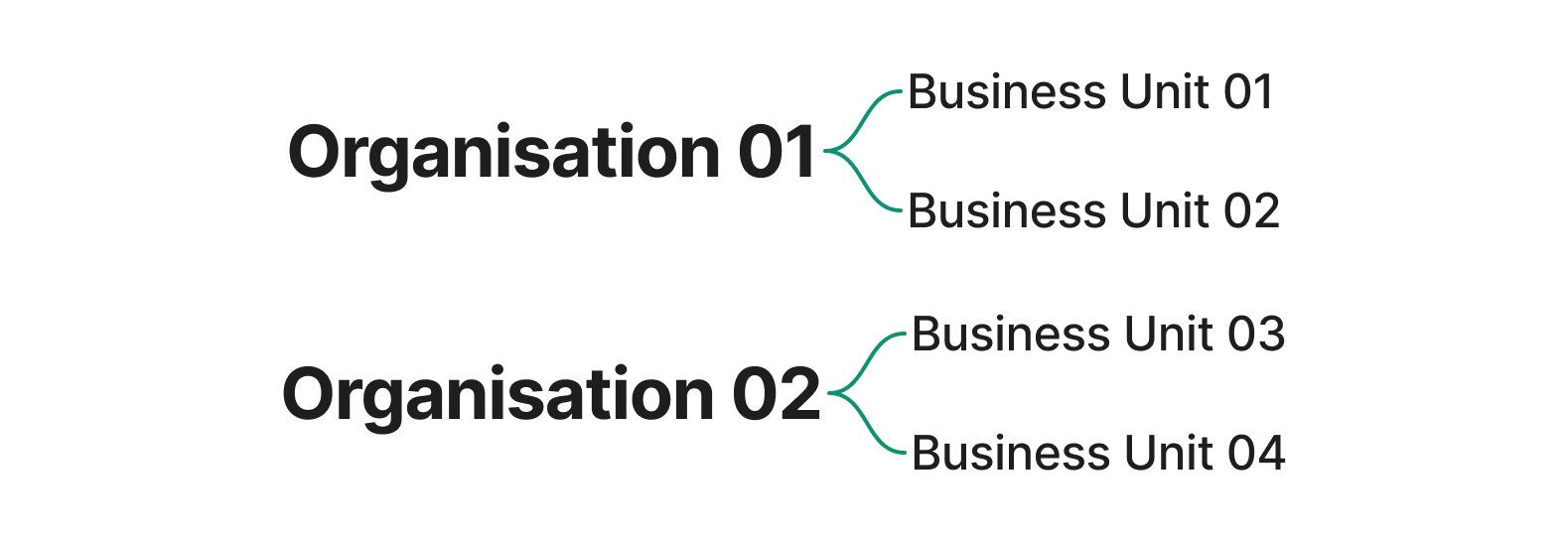
The Client Portal groups everything under two levels: your **organisation** and its **business units**. Every organisation contains one or more business units. Transactions, reports, and settings in the portal are scoped to the business unit currently selected.
 ## Organisation
An **organisation** is the top-level account in the Client Portal. It represents your business as a whole, and every business unit you operate sits underneath it.
## Business unit
A **business unit** is the processing account that all transactions and settlements belong to. Most merchants operate a single business unit. Merchants running multiple entities, brands, or regions can have several business units under one organisation.
* An **organisation** can have one or many **business units**.
* A **business unit** belongs to exactly one **organisation**.
* Transactions, reports, and settings in the Client Portal are scoped to a single **business unit** at a time.
A business unit must be connected to a legal entity, to meet compliance requirements such as Know Your Business (KYB) checks and applicable local regulations.
***
## Switching accounts
* Switch **organisations** from the switcher at the bottom of the side navigation.
* Switch **business units** from the switcher in the page header, next to the test and live mode switch.
If you only have access to a single organisation or business unit, the corresponding switcher does not appear.
## User roles and access
Access to organisations and business units depends on your role. Different roles grant different permissions within the Client Portal.
If you need a role changed or a new user added, contact your admin, or reach out to the Moment team.
## Organisation
An **organisation** is the top-level account in the Client Portal. It represents your business as a whole, and every business unit you operate sits underneath it.
## Business unit
A **business unit** is the processing account that all transactions and settlements belong to. Most merchants operate a single business unit. Merchants running multiple entities, brands, or regions can have several business units under one organisation.
* An **organisation** can have one or many **business units**.
* A **business unit** belongs to exactly one **organisation**.
* Transactions, reports, and settings in the Client Portal are scoped to a single **business unit** at a time.
A business unit must be connected to a legal entity, to meet compliance requirements such as Know Your Business (KYB) checks and applicable local regulations.
***
## Switching accounts
* Switch **organisations** from the switcher at the bottom of the side navigation.
* Switch **business units** from the switcher in the page header, next to the test and live mode switch.
If you only have access to a single organisation or business unit, the corresponding switcher does not appear.
## User roles and access
Access to organisations and business units depends on your role. Different roles grant different permissions within the Client Portal.
If you need a role changed or a new user added, contact your admin, or reach out to the Moment team.